
Rohos Logon Key v. 2.9 improvements for Windows 7
Dear users and customers, we are happy to announce a few improvements in Rohos Logon Key. New features affects “Allow login only by USB Key” feature specially when using Rohos Logon in corporate network or Windows Remote Desktop services.
What’s new:
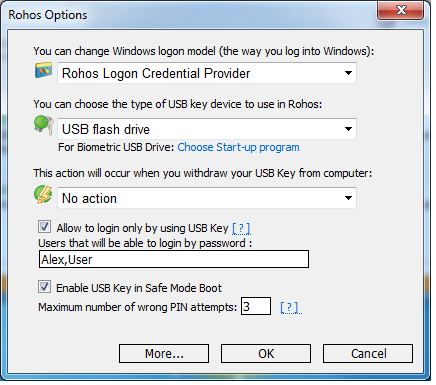
1. When you use “Allow to login only by USB Key” feature, you may define a set of users that will be able still to login by a regular password (without USB Key). Please note:
– Current user name is added to this list automatically by default .
– We recommend to set it to Terminal Server administrator user name
– If it is blank: regular password based login will be disabled for any user (ensure that you have defined Emergency Login or have a valid USB Key)
– Rohos Icon in Credentials Prompt dialog box allows any user name credential to be entered manually.
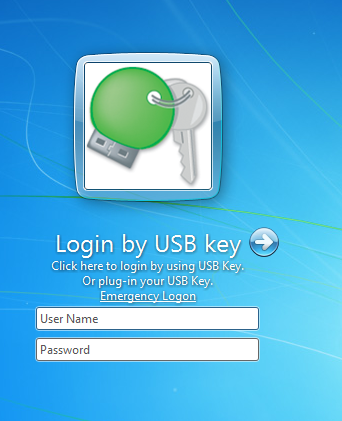
2. On the Windows 7/2008 logon screen you have Rohos logon icon.
Now it contains User name and password fields. This is designed specially for network Admins to be able to access computer in a regular way locally or via Remote Desktop.
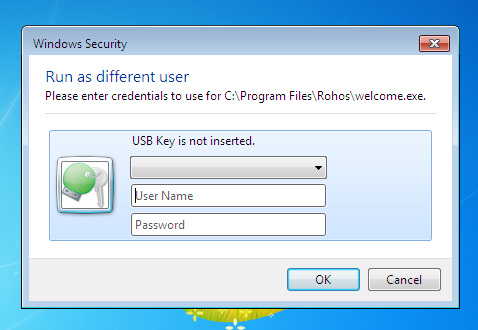
3. User Account Control credentials prompt with Rohos icon. Now you can regular use here User Name and password. Please note – this credentials prompt accepts USB Key or any user name and password entered manually.
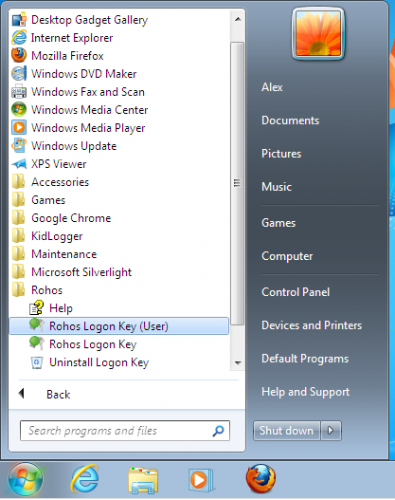
4. On Windows 7/ 2008 Rohos logon key creates “Rohos Logon Key (User)” shortcut that allows regular users to setup and manage USB Key for Windows authentication.
5. USB key redirection into Remote Desktop
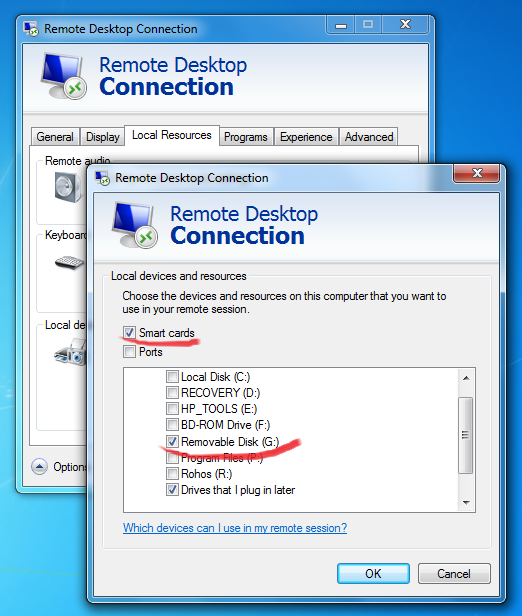
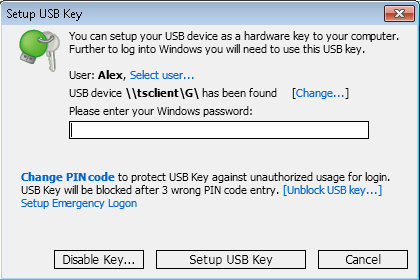
Rohos Logon Key allows to setup redirected USB flash drive as a Login Key for Windows Remote Desktop.
On the screenshot “\\tsclient\G” is a USB flash drive connected to client PC. After setting up this USB drive it will contain also portable Rohos components to login into Remote Desktop from any PC with this Key (without installing Rohos on it)
A few notes about Windows Remote Desktop services support
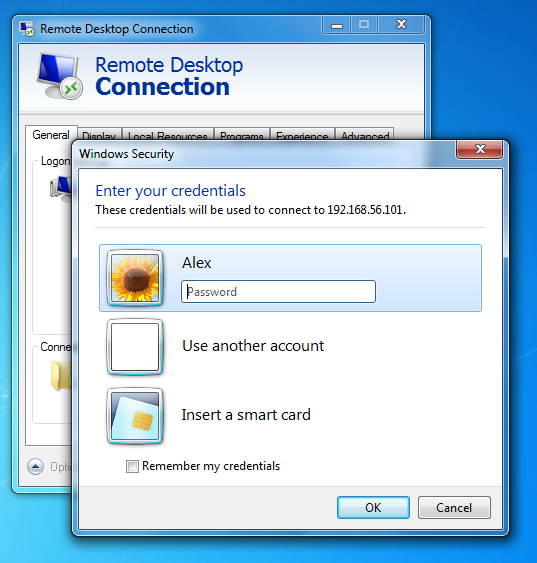
Today In most configurations “Network Level Authentication” option is used on a Windows Terminal Server (TS). It means after providing credentials in the MS Remote Desktop Connection user login straight into Remote Desktop (without entering credentials at login screen).
In this case you need to use “Allow to login only by USB Key” option in Rohos Logon Key (installed on TS). So NLA will be used anyway but in addition require USB Key in Terminal Server login screen. This will enforce 2-factor authentication principle : Remote Desktop users will be able to provide credentials at RDC and USB Key will be verified also.
If you are Network Administrator you will be able to login into TS by using regular username/password .
Remote Desktop connection passthrough
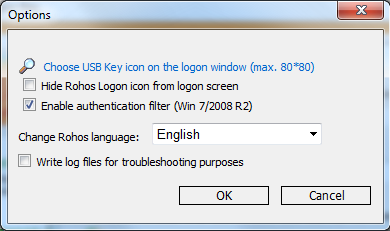
On Windows 7 / Windows 2008 R2 rohos credential provider support passthrough authentication for Remote Desktop login (based on NLA – Network Level Authentication). Once credentials are authenticated via NLA it will be used by Rohos.
To enable this feature: Open Rohos Logon Key > Options > More > and enable “Enable authentication filter”.
Windows 7 / 2008 logon screen editor
Now Rohos Logon allows to edit logon screen picture (background) and user icons.
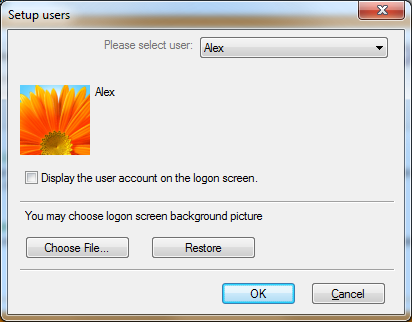
The list of options you can customize on Windows 7 logon screen by Rohos:
- Hide Rohos Logon Key icon
- Change the picture of Rohos Logon Key icon
- Hide any user icon or just a single icon
- Change background picture of logon screen
Download Rohos Logon Key release with this improvements.