
 Rohos Disk Browser is a portable and open-source USB drive encryption tool with advanced security features. It allows working with encrypted partitions on an untrusted PC without the risk of password reveal and data leak via TEMP files. It is also useful if you do not have administrative rights on the Computer.
It is developed by using open data security standards, AES 256 encryption, and security protocols approved by the community. Build it by yourself using the source code>
Download
Standalone signed application in ZIP, 1 Mb, freeware
Encryption features:
- Create password protected and encrypted containers on a USB Flash drive. The Container may be stored in AVI or any other media file (stenography).
- Create Real Hidden password protected and encrypted partitions on a USB drive. Admin rights required to open it.
- Opens with read/write support the following encrypted media: USB flash drive partition, container file, AVI, or media file with container data.
- Change password of encrypted partition or container.
- Encryption is on-the-fly in user mode and does not leave unencrypted data on the TEMP folders.
- The encryption algorithm is AES with 256 key lengths.
Advantages of Rohos Disk Browser portable:
- Allows hiding confidential files on USB drive without the risk of accidental data loss, even by USB drive formatting.
- Allows hiding the fact of using encrypted data on your computer or USB flash drive.
- If you need to work with encrypted files on an untrusted computer you can enter an encrypted disk password on a special virtual keyboard without the risk that a password being recorded with a keylogger.
- You can access just a single file without the risk that somewhat a guest system will access your files via drive letter in the background.
- Open any file from encrypted partitions by double-click without decrypting them into a temporary folder. The file will be decrypted on-the-fly only for the Application that works with it.
- Browse images and videos in preview mode (thumbnail view) without decrypting them into a temporary folder.
- Play music or video with on-the-fly decryption right into a media player.
Screenshots:
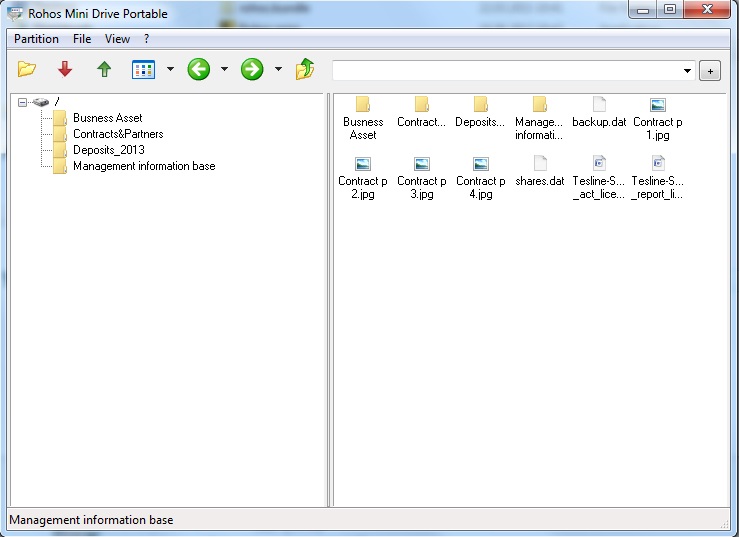
Screenshot of the Disk Browser main window, with files stored on the secret partition of the disk
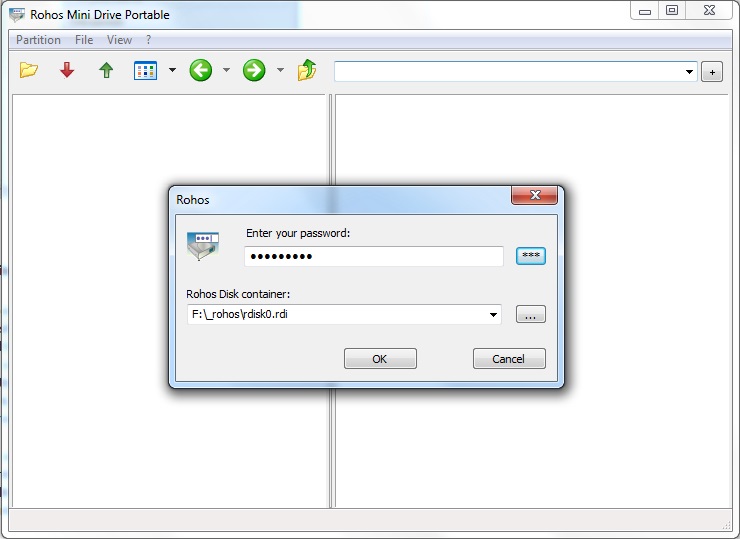
Access your partition with a password
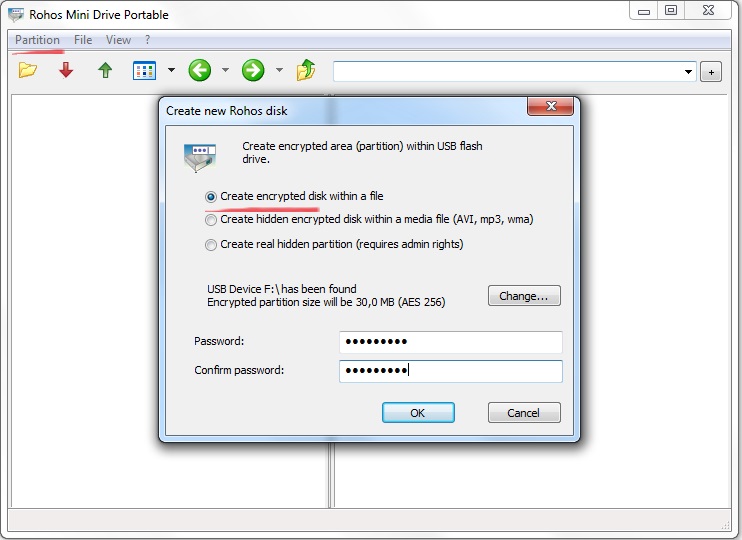
Create a new partition with Rohos Mini Drive Portable
 Protecting your USB drive by a password
Rohos Disk or Rohos Mini Drive tools are specially designed to password-protect a portion of a USB flash drive or portable HDD, by creating a virtual encrypted partition. The partition is protected by a password and can be opened on any computer. Now, even if you are in an internet café and have no administrative rights, you can still have full access to your secret partition with the help of the Rohos Disk Browser utility. This means that you can open any file, read, and edit any data. Naturally, when you are at your home or office computer, you will still be able to work with your encrypted partition as usual.
On a guest computer, you may always open your protected partition on the USB flash drive in “read-write” mode for FAT/FAT32 and NTFS formats with the help of the Rohos Disk Browser utility. This makes it possible to open or copy only one particular file or directory, without granting access to every file.
How Rohos Disk Browser works
- With the help of Rohos Disk or Rohos Mini Drive, you create a secure partition on a USB drive. After this “Rohos Disk Browser” and “Rohos Mini” files will be copied into a USB flash drive.
- When you click on Rohos Mini.exe from the USB drive, you will need to enter your password to open the secret partition:
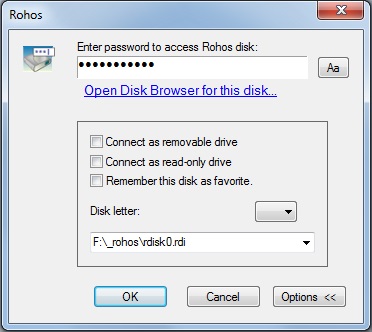
- If you have Administrative rights, you can open the disk as a virtual drive, Alternatively, you can open the Rohos Disk Browser utility, and open the encrypted disk in a simpler manner (user mode encryption).
- If you do not have Administrative rights (for example when you are in an internet café), Rohos Disk Browser will automatically be started. This will open the encrypted partition. You will be able to open documents and run applications*.
After you enter your password for the encrypted disk, a tree of files and directories from the secret disk will appear in the window:
- Double-clicking on a document in Rohos Disk Browser, it searches for an associated application and opens it (with user-mode on-the-fly encryption).
- The ‘save’ function can be used to copy one or many files or directories from Rohos Disk Browser into any other directory.
- Virtual Folder command – open a special window where you can see all the files from the current folder in thumbnail view.
You can open Disk Browser from the menu Start ->Programs->Rohos->Disk Browser (make sure Rohos Disk or Rohos Mini Drive program is installed on your computer). Alternatively, you can start the program Rohos Mini.exe from the USB drive (make sure you have already created an encrypted partition).
How to configure a USB drive to create an encrypted partition on it
- In the main window of Rohos Disk or Rohos Mini Drive click on ‘Encrypt USB drive‘
- A dialog box will appear, showing you the size of the USB drive, the letter which will identify the newly-created partition, and the path to the files.
- Enter a password that will protect access to the encrypted disk
- Repeat the password
- Finally, click ‘Create Disk‘. In the same dialog, you can create a label that will identify the disk on the Desktop, by selecting the checkbox next to it.
Benefits of this approach:
- Automatic creation and configuration of the USB key, and the size of the secret partition (disk), which it is possible to create on the USB drive. If the size of the partition were incorrect, then it would be necessary to “format” the USB drive beforehand.
- There is no need to install a program on the computer where you will open your secret partition. The program itself is installed on the USB drive. There is no need to copy the program and driver onto the USB drive or to create an autorun.info file.
- Simply running Rohos mini.exe from the “root” of the USB drive enables you to open your secret partition. You can open your encrypted partition on any computer, even if you do not have Administrative rights.
* Note: Most applications, especially portable work on Rohos Mini Drive Browser. We have tested text files (extension txt, doc, etc.), media files (music/video), photos, and pictures. Meanwhile, some applications are not working properly.